I saw an offer in the PayZapp app for cashback on mobile recharges using a promo code. I’ve started the recharge, but I can’t see where to enter the code. What is the correct procedure?
Applying a promo code in PayZapp is a simple but crucial step that you need to complete on the payment confirmation page, just before you finalize your recharge. The option is easy to miss if you’re in a hurry, but it’s always available before you make the final payment.
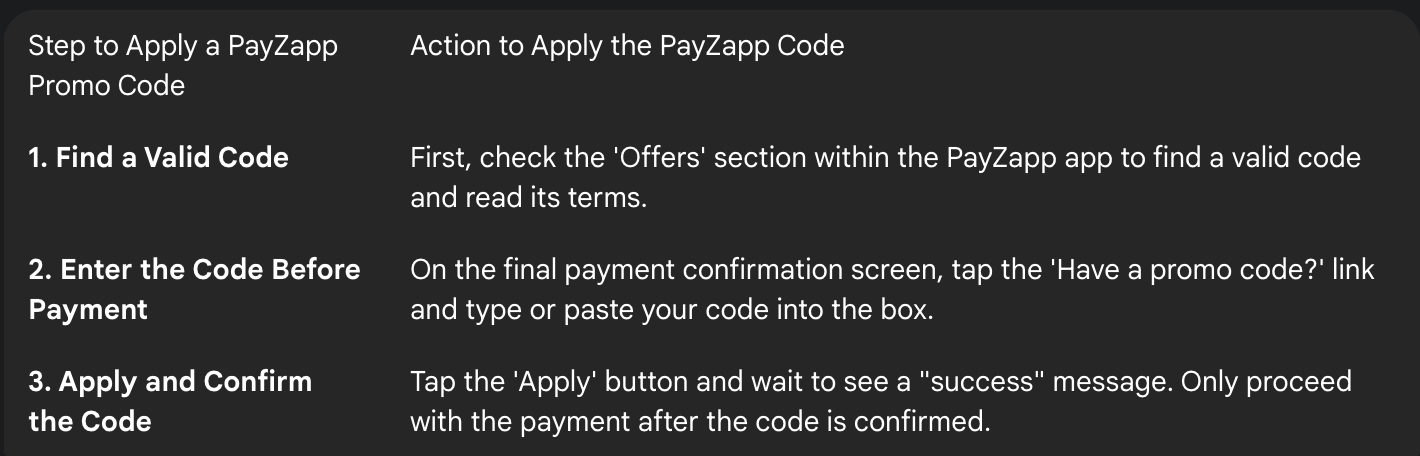
Step 1: Find and Copy a Valid PayZapp Promo Code
My friend was trying to use a promo code he found on a third-party coupon website, but it kept showing as invalid. I explained that the most reliable place to find genuine and active codes is within the ‘Offers’ section of the PayZapp app itself. I make it a habit to check that section and copy the exact code before I even start the recharge process.
Step 2: Locate the Promo Code Field Before Payment
I was helping my mother with her mobile recharge. After she entered the phone number and the recharge amount, she landed on the final payment confirmation screen. She was about to tap ‘Pay’, but I pointed out a small text link on that page that said ‘Have a promo code?’. She tapped on this link, and a text box appeared, allowing her to enter the code.
Step 3: Apply the Code and Confirm its Success
After my mother typed the code into the box, she had to tap the ‘Apply’ button next to it. A success message appeared in green text, saying “Promo code applied successfully.” This is the confirmation you need to look for. Only after seeing this message should you proceed to make the payment. If an error message appears, it means the code is not valid for that particular transaction.
1 Like