How to clear cache or update SBI YONO app?

I’m having problems with the YONO SBI app not opening correctly, freezing, or operating slowly. I’ve heard that these issues can be resolved by updating or clearing the app’s cache, but I’m not sure how to do it properly on my phone.

Could someone please explain how to update the app on both Android and iPhone and clear the cache on Android so that YONO functions properly again?

The two easiest ways to fix the YONO SBI app if it’s freezing, hanging, crashing, or loading slowly are:

  1. Emptying the cache of the app (Android only)
  2. Installing the most recent version of the app

Both procedures can resolve slow performance, technical issues, and login errors in a matter of minutes.

What You Need Action Why It Helps
Fix slow/hanging app Clear Cache Removes corrupted temporary files
Fix crash/bugs Update App Installs latest bug fixes
Fix login/loading issue Restart Phone Refreshes background services
App still doesn’t work Reinstall App Replaces damaged app files

If my SBI YONO app starts lagging or showing old data, how do I properly refresh or clear the app files?

As per the things i know, YONO often starts lagging or showing old data when the stored files inside the app get overloaded or damaged. It feels irritating because even simple actions take too long or the app shows outdated information.
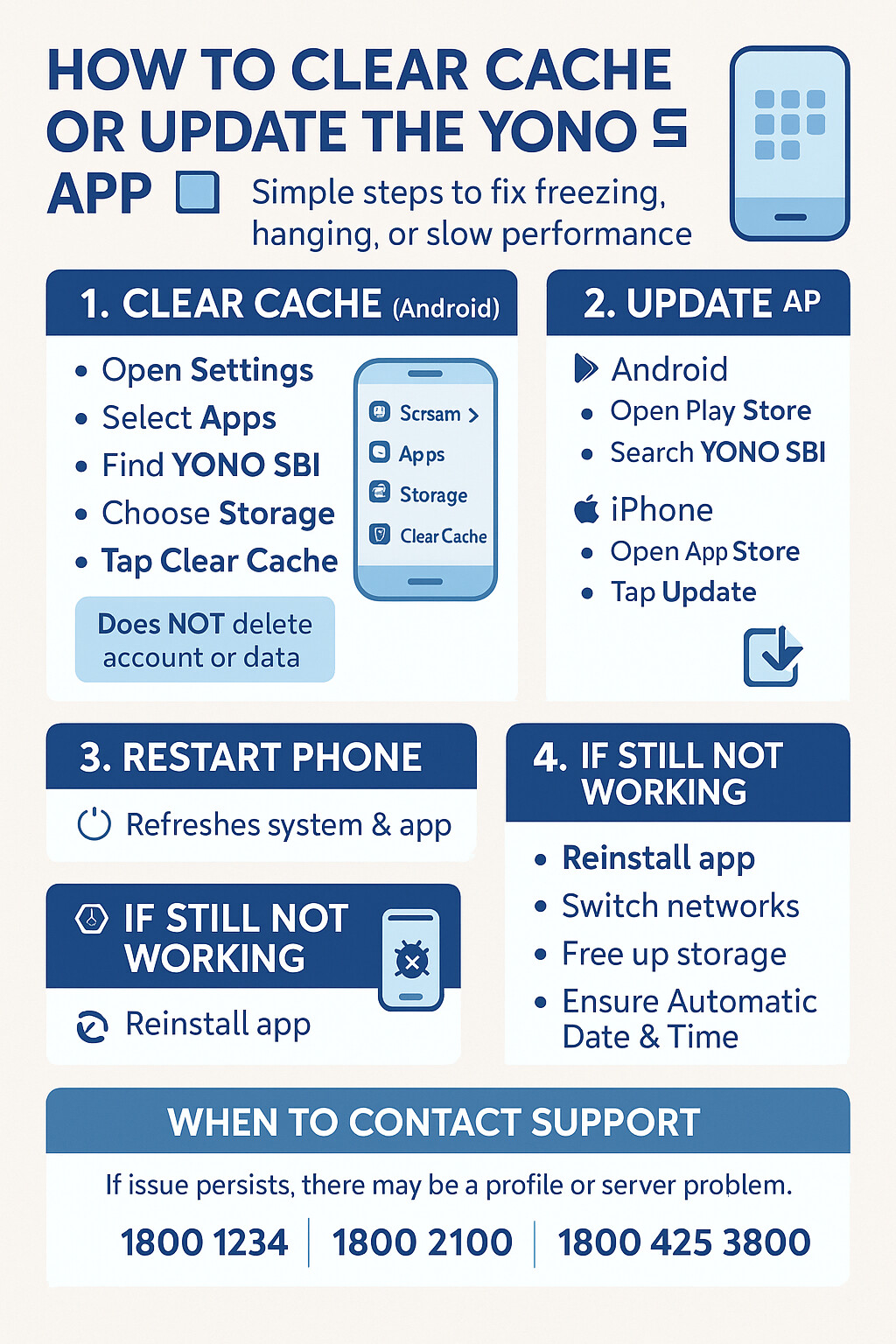
Steps to Refresh YONO App Files and Why They Help

Step How to Do It Reason It Helps
Clear App Cache Settings > Apps > YONO SBI > Storage > Clear Cache Removes old temporary files that cause lag or outdated data
Clear App Data Settings > Apps > YONO SBI > Storage > Clear Data Resets all stored files and fixes deep data corruption
Update the App Open Play Store > Search YONO SBI > Update Fixes bugs and replaces outdated app files with latest version
Force Stop the App Settings > Apps > YONO SBI > Force Stop Refreshes all background processes that may slow the app
Restart Your Phone Power Off > Turn On Again Clears system-level issues affecting app performance
Reinstall the App Uninstall YONO > Restart Phone > Install Again Removes damaged installation files and installs a fresh copy